 DesignFlux Team
How much does app design cost for a US small business? A simple mobile app typically costs around $3,000 to $15,000 to design, a mid-level app may cost $15,000 to $40,000, and a complex application can cost $50,000 to $100,000 or more.
These are broad market ranges for UI and UX design services, not guaranteed quotes or industry averages. Your actual price depends on screen count, user flows, platforms, and design complexity.
Importantly, these figures cover design only, not programming, backend development, hosting, testing, or app store costs.
This guide explains what affects app design pricing, what small businesses should budget for, and how to avoid unnecessary expenses. If you also need a website alongside the app, our guide to how much website design costs breaks down those prices too.
How Much Does App Design Cost by App Type?
App design prices vary considerably because different applications require different levels of planning, interaction design, and visual detail.
A basic appointment booking app has different requirements from a marketplace with multiple account types and complex user journeys.
Here is a practical comparison.
| App type | Indicative design-only cost | Typical characteristics |
|---|---|---|
| Simple app | $3,000 to $15,000 | Limited screens, basic navigation, standard components |
| Mid-level app | $15,000 to $40,000 | Multiple user flows, custom interfaces, more detailed prototypes |
| Complex app | $50,000 to $100,000+ | Extensive screens, advanced interactions, multiple roles, detailed design systems |
These figures represent broad planning ranges. They do not guarantee what an individual designer or agency will quote.
Simple app design
A simple app usually focuses on a limited set of functions.
Examples include appointment booking, basic service information, customer inquiries, or straightforward account management.
The design process may involve:
- Basic user flow planning.
- Essential app screens.
- Standard navigation elements.
- Simple forms and buttons.
- Limited custom graphics.
- Basic interactive prototypes.
A business can often control costs by using established interface patterns rather than developing entirely custom layouts.
However, even a simple app needs understandable navigation and readable content.
Best for: Small businesses testing a focused app idea or developing an initial product.
Mid-level app design
A mid-level application includes more screens, user actions, and interface decisions.
Examples might include ecommerce apps, customer dashboards, learning platforms, or booking systems with different account types.
The designer may need to create product listings, filters, account settings, notifications, and detailed user journeys.
Additionally, the project might require custom illustrations, interactive prototypes, and a reusable component library.
These requirements increase design time because screens must work together as a consistent system.
Best for: Businesses building products with several related functions and a more developed customer experience.
Complex app design
Complex applications often support multiple user roles, interconnected workflows, and advanced interactions.
Examples include business management platforms, sophisticated marketplaces, and applications with extensive reporting dashboards.
These projects can involve:
- Detailed user research.
- Complex navigation systems.
- Multiple account permissions.
- Large interface component libraries.
- Custom animations and illustrations.
- Extensive interactive prototypes.
- Different screen sizes and platform variations.
However, complexity does not always mean having more decorative graphics.
A visually simple application can still require substantial UX planning when users need to complete complicated tasks.
Best for: Businesses developing advanced digital products that require specialist product design.
UI vs UX Design: What Are You Paying For?
Understanding the difference between UI and UX helps explain how much does app design cost.
Although these disciplines overlap, they address different parts of the product.
What is UX design?
UX stands for user experience.
A UX designer focuses on how people interact with an application and complete important tasks.
Their work may include:
- Understanding user needs.
- Mapping user journeys.
- Planning information architecture.
- Creating wireframes.
- Identifying confusing interactions.
- Testing usability.
- Improving navigation.
For example, a booking app needs a clear path from choosing a service to confirming an appointment.
UX design helps establish that path before visual details are finalized.
What is UI design?
UI stands for user interface.
A UI designer focuses on the visual and interactive elements users encounter.
This includes typography, colors, buttons, spacing, icons, cards, and screen layouts.
UI designers also consider visual consistency, responsive behavior, and interactive states.
For example, they define how an error message appears or how a selected booking time differs from an unavailable option.
How much do UI and UX design cost separately?
There is no universal price difference between UI and UX design.
A small project may combine both disciplines under one designer and one fixed quote.
Meanwhile, a larger project might employ separate UX researchers, product designers, and UI specialists.
UX costs increase when a project requires extensive research, user testing, and complicated workflows.
UI costs increase with custom components, visual variations, illustrations, and detailed interaction states.
Therefore, ask providers to identify which UX and UI activities their proposals include rather than assuming either discipline has a fixed market price.
App Design vs App Development: Understand the Difference
One of the biggest budgeting mistakes is confusing app design with app development.
These are related but separate services.
What app design includes
App design typically produces the visual and interaction specifications that developers will use.
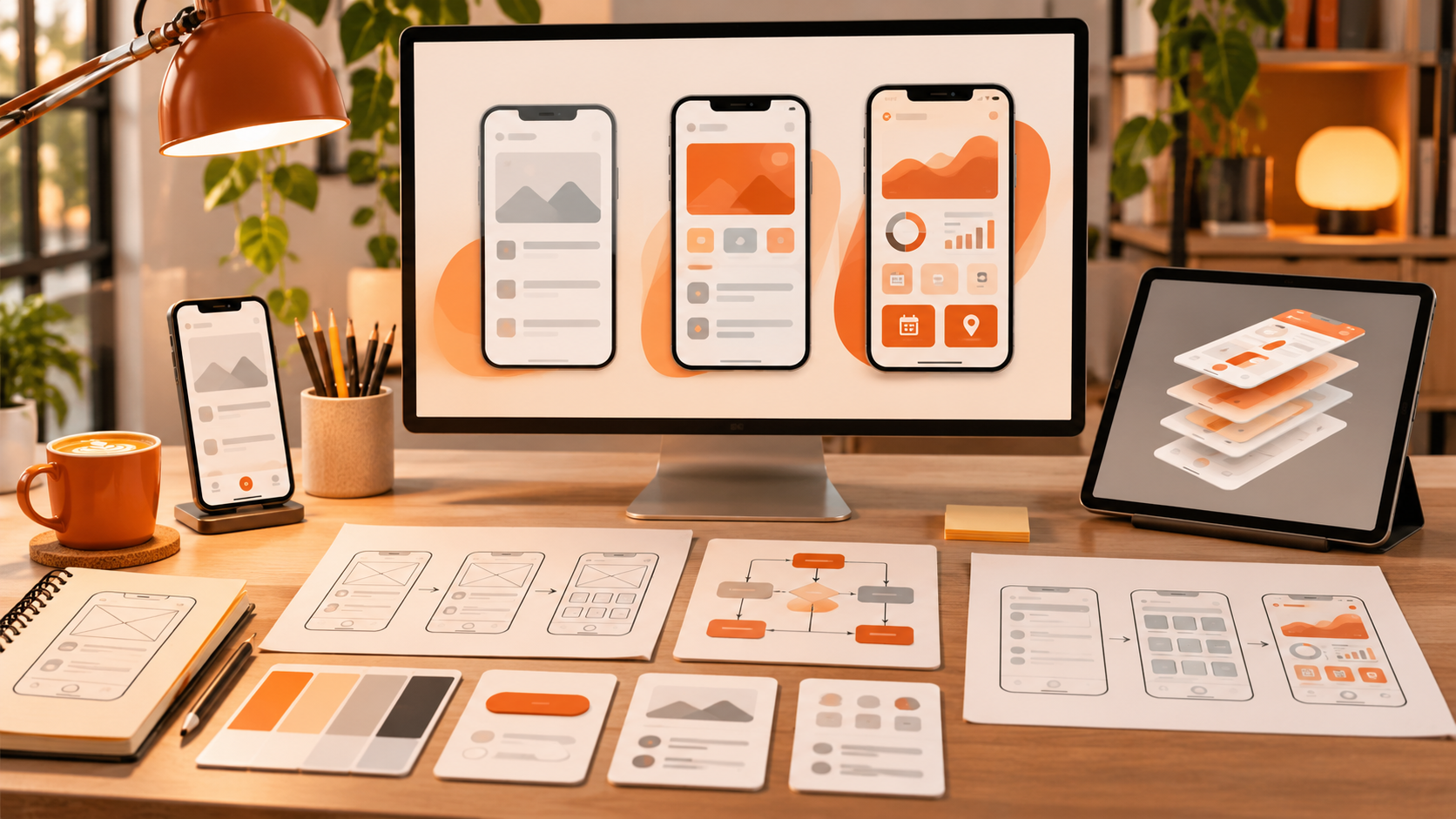
Deliverables can include wireframes, high-fidelity screens, a design system, interactive prototypes, and developer handoff files.
However, a clickable prototype is usually a demonstration of intended behavior, not a fully functional application.
What app development includes
Development turns the designs into working software.
Developers implement features, connect databases and APIs, configure authentication, and integrate external services.
Projects may also require quality assurance, security reviews, deployment, and ongoing maintenance.
Therefore, the design-only ranges in this article do not include coding, backend systems, hosting, or Apple and Google app store expenses.
Request separate design and development estimates to understand your overall investment.
How Much Does App Design Cost Based on Project Scope?
Even apps within the same category can have very different design prices.
The following factors explain why.
Number of screens and user flows
More screens generally require additional design work.
However, screen count alone does not determine complexity.
A familiar profile screen may be straightforward, while a payment or scheduling flow needs careful attention to different user actions.
Ask designers to estimate complete user journeys, not just individual screens.
Custom design vs templates
Template-based interfaces can reduce the amount of original visual design required.
They often use established layouts, buttons, and navigation patterns.
Meanwhile, custom applications may require unique components, illustrations, and interaction patterns.
However, customization should support your product’s requirements rather than exist only to look different.
iOS, Android, or both
Designing for iOS and Android can require additional work.
The platforms have different interface conventions, navigation patterns, and device considerations.
Some components can share a visual system, while others may need platform-specific variations.
Therefore, ask whether your quote covers both platforms or only one.
Branding and custom visuals
If your business already has a logo, colors, typography, and guidelines, the designer can build on those materials.
However, creating a complete brand identity alongside the app increases the scope.
Custom icons, illustrations, animations, and visual assets can also affect pricing.
Revisions and prototypes
A detailed clickable prototype requires more work than static screens.
It may include navigation, transitions, interactive states, and demonstrations of important user flows.
Additionally, unclear feedback or major changes after approval can increase costs.
Confirm the revision policy and prototype deliverables before signing an agreement.
Hourly vs Fixed Pricing for App Design
Designers generally offer hourly billing or fixed project quotes.
Both can work, depending on your requirements.
Hourly pricing
Hourly billing charges for the designer’s time.
Upwork lists general graphic designer rates between $15 and $150 per hour, although specialist UI/UX designers may quote differently. This is not an app-specific rate benchmark.
Hourly work can suit early exploration, existing interface improvements, or projects with changing requirements.
However, costs may become difficult to predict when the scope keeps expanding.
Fixed project pricing
Fixed pricing establishes a fee for agreed deliverables.
For example, a proposal might cover user flows, wireframes, final screens, and a clickable prototype.
This can make budgeting easier for small businesses.
However, additional screens or major changes may require a revised quote.
For a defined app concept, fixed pricing usually provides clearer budget expectations. For exploratory work, hourly billing may offer more flexibility.
Can AI Tools Design an App Cheaply?
AI tools can help generate initial layouts, interface concepts, wireframes, and visual references.
They can also assist with brainstorming user flows or exploring alternative screen structures.
For a small business, this can make early experimentation more accessible.
However, AI-generated screens are not automatically ready for development.
Where AI tools can help
AI can assist with:
- Exploring early design directions.
- Generating rough interface concepts.
- Suggesting layout alternatives.
- Preparing basic visual references.
- Drafting placeholder interface copy.
These outputs can provide a starting point for discussing your product.
Where human designers still matter
A real product needs consistent interactions, accessible interfaces, understandable navigation, and realistic technical constraints.
AI-generated layouts may overlook confusing user journeys, missing error states, inconsistent components, or platform requirements.
Additionally, generated designs still require testing and review.
A skilled product designer can evaluate those issues and prepare a coherent design system for developers.
Therefore, AI can reduce some exploration work, but it should not replace professional evaluation for a production application.
Can a Graphic Design Subscription Help With App Design?
A graphic design subscription may help with supporting visual assets, but it does not automatically replace a specialist UI/UX engagement.
DesignFlux offers an unlimited graphic design subscription for $1,495 per month, including a dedicated designer and project manager, unlimited requests and revisions, typical 24 to 48 hour turnaround, and no contracts.
For a business developing an application, ongoing graphic design support may be useful for marketing graphics, promotional materials, and other eligible visual assets.
However, complex UX research, user testing, and comprehensive product interaction design require specific expertise.
Confirm whether your required app design work falls within a subscription provider’s actual scope.
Unlimited requests also do not mean unlimited simultaneous production.
How to Reduce App Design Costs Without Sacrificing Usability
Start by defining what your application must accomplish before commissioning the entire interface.
Then prioritize the user journeys that matter most.
Practical ways to control costs include:
- Define the core features: Avoid designing unnecessary functionality.
- Prepare your requirements: Explain your users, goals, and essential workflows.
- Reuse familiar components: Avoid custom interfaces where standard patterns work.
- Provide existing branding: Share approved colors, fonts, and logos.
- Limit unnecessary revisions: Consolidate feedback before requesting changes.
- Request clear deliverables: Confirm whether prototypes and design systems are included.
Additionally, consider designing an initial version before expanding into more advanced features.
However, don’t remove essential usability work simply to lower the quote.
Frequently Asked Questions
How much does it cost to design a simple mobile app?
Simple mobile app design often falls within an illustrative range of $3,000 to $15,000. The price depends on the number of screens, user flows, platform requirements, and design detail. This covers UI/UX design only. Development, backend functionality, testing, and app store expenses require separate budgets.
Is UI design cheaper than UX design?
Neither discipline is consistently cheaper. UI pricing depends on visual detail, components, and screen variations, while UX pricing reflects research, workflows, testing, and interaction complexity. Many designers combine both services. Therefore, compare specific deliverables rather than assuming that either UI or UX always requires a smaller budget.
Does app design include coding and development?
No, app design and app development are separate activities. Designers typically produce wireframes, interface layouts, prototypes, and handoff materials. Developers then build the working application. Some agencies offer both services, but you should verify the contract because design-only estimates do not include programming, infrastructure, or app store costs.
Can I design an app using AI instead of hiring a designer?
AI tools can help generate early concepts, layouts, and visual references. However, production applications still require careful attention to usability, accessibility, consistency, and technical constraints. A human designer can review workflows, correct interaction problems, and prepare developer-ready specifications. AI is useful for exploration, but not a guaranteed substitute.
Should a small business hire a freelancer or an app design agency?
A freelancer can suit a clearly defined app with limited complexity and straightforward communication needs. Meanwhile, an agency may be appropriate for extensive research, multiple platforms, and complicated user flows. Compare portfolios, deliverables, revision policies, and handoff requirements. Choose the provider whose expertise matches your project’s actual scope.
Final Thoughts
Understanding how much does app design cost starts with defining the product you want to build.
Simple applications generally need fewer design resources, while more complex platforms require extensive UX planning, visual systems, and interactive prototypes.
However, design is only part of the total app investment.
Before hiring, decide which features are essential, whether you need iOS or Android support, and which deliverables your developers will require.
A clear scope and a realistic budget provide a stronger foundation than choosing a provider based on the lowest advertised price.